If you have a YouTube channel, you already know the feeling. You post a video, it starts getting views, and then without fail someone drops a rude comment, spams links, or starts a fight in the comment section. And you’re sitting there thinking, yaar, why can’t people just behave?
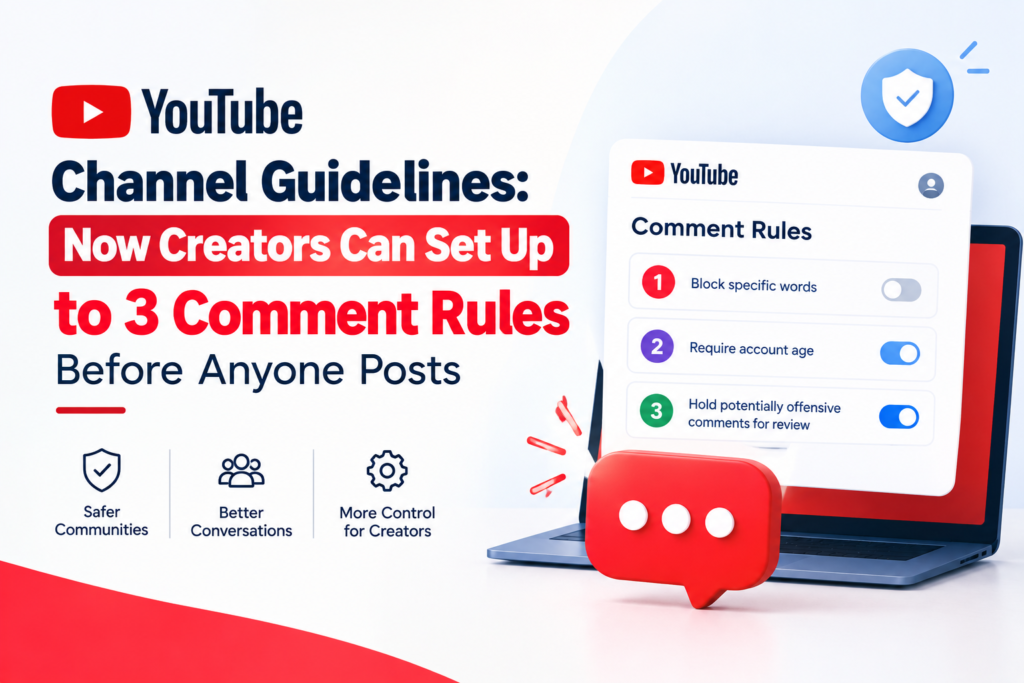
Well, YouTube heard that frustration. And they’ve given creators a really useful feature to address it: the Channel Guidelines tool. Now you can set up to three custom rules that appear to every viewer before they leave a comment, post on your Community tab, or type anything in your live chat. It’s like putting up a notice board at the entrance of your shop people see the rules before they walk in.
Let’s talk about what this feature is, how to set it up, and why it actually matters for your channel.
What Is the YouTube Channel Guidelines Feature?
Channel guidelines are custom rules or messages that you write as a creator, which YouTube shows to your viewers before they interact with your content. Whether someone is about to comment on your video, post on your Community tab, or join your live chat they’ll see your guidelines first.
The idea is simple. You get to communicate the kind of conversations you want on your channel, in your own words, before any interaction happens. It’s not about being strict or unfriendly. It’s about setting a tone making people feel welcome while also making it clear what kind of space you’re running.
You can write a short welcome message and add up to three separate guidelines. That’s it. Three rules. Keep it simple, keep it human, and you’ll be surprised how much difference it makes.
One important thing to know: for viewers, channel guidelines for comments and Community posts can only be seen on a mobile device. Guidelines for live chat can be seen on both desktop and mobile. So most of your mobile-first Indian audience which, let’s be honest, is the majority will see these guidelines just fine.
Why Should Indian Creators Care About This?
India has one of the most active and growing creator communities on YouTube. Whether you’re a tech reviewer in Bangalore, a cooking channel from Kolkata, or a finance educator in Mumbai you’re dealing with a massive and diverse audience.
And with that scale comes the reality of comment sections. Spam. Self-promotion. Off-topic debates. Sometimes just plain rudeness. Managing all of this manually hiding comments, blocking users, reviewing held comments one by one takes up time you could be spending on content.
Channel guidelines don’t automatically remove bad comments. YouTube is very clear about that. Your custom guidelines won’t cause comments, posts, or live chat messages to be automatically hidden or removed. But what they do is create a psychological checkpoint. When a viewer sees “Be respectful and stay on topic” before they type, it nudges their behavior in the right direction.
Think of it like this: have you ever noticed how a well-managed WhatsApp group the ones with pinned rules at the top tends to stay cleaner than groups with no rules at all? Same principle here.
How to Set Up Your Channel Guidelines: Step by Step
This is actually very easy to do, and it takes less than five minutes. Here’s how:
First, sign in to YouTube Studio at studio.youtube.com. From the left-side menu, click on Settings. Inside Settings, look for Community moderation and then click on Channel guidelines. You’ll see a field to enter a welcome message this is the greeting that appears at the top before your rules. Then you can add your first guideline. Click ADD GUIDELINE to add a second and then a third, up to three total. Once you’re done, click SAVE.
That’s it. Your guidelines are live. From this point on, anyone who goes to comment on your video or post in your Community will see your welcome message and rules before their comment box even opens.
What Should You Write in Your Guidelines?
This is where a lot of creators overthink it. Keep it simple and keep it real. You don’t need legal language or long paragraphs. Write the way you’d talk to your audience in a video.
Your welcome message could be something like: “Welcome to the family! Before you comment, please take a moment to read our guidelines.” Warm, friendly, sets the stage.
For the three guidelines themselves, YouTube actually gives some good examples to work from. Things like “Be civil and respectful,” “Stick to the topic,” “No self-promotion or spam,” “Questions are always welcome,” or “Challenge the argument, not the person” these are clean, simple, and universally understood.
For Indian creators, you might want to add something specific to your community. A food channel might say “All cuisines are welcome here no food shaming!” A regional language channel might say “Comments in any language are welcome, keep it respectful.” A finance channel might say “No stock tips in the comments, please.” Customize it for your audience.
The goal is not to intimidate. It’s to welcome and inform, at the same time.
Where Exactly Do Viewers See These Guidelines?
This is the question most creators have, and it’s worth understanding clearly.
When a viewer on a mobile device taps to comment on your video, a small overlay or prompt appears showing your welcome message and your channel guidelines before the comment input box is active. They have to see it before they can type.
For live chat, the guidelines appear on both desktop and mobile. So during a live stream, anyone who opens chat will see your rules before they start typing messages.
For Community posts, guidelines appear on mobile only which again, is where most Indian viewers are accessing YouTube.
This placement is smart. It’s not a static page buried in your About section that nobody reads. It appears in the exact moment of interaction, when the viewer is about to engage. That’s the right moment to set expectations.
Does YouTube Enforce These Guidelines Automatically?
No, and it’s important to understand this clearly so you don’t have the wrong expectation.
Your custom guidelines won’t cause comments, posts, or live chat messages to be automatically hidden or removed. They are informational, not algorithmic. YouTube will continue to automatically enforce its own Community Guidelines things like hate speech, spam, or harmful content regardless of what your custom rules say. But your three rules are for the human element: the tone, the culture, the kind of conversations you want.
So if someone ignores your guideline and still drops a spam link, you’ll need to handle that manually or through held comments and moderators. The guidelines help reduce that behavior they don’t eliminate it overnight.
Think of it as building culture over time, not flipping a switch.
Pairing Guidelines With YouTube’s Other Comment Settings
Channel guidelines work best when they’re part of a broader comment management strategy. YouTube Studio gives creators several powerful tools to use alongside your guidelines.
You can hold comments for review before they appear publicly. You can block specific words or phrases so comments containing them get automatically held. You can hide users from your channel so they can no longer comment or interact. You can also enable slow mode during live chat to limit how frequently individual viewers can send messages.
Together, these tools give you meaningful control over your comment section without requiring you to babysit it around the clock. Set your guidelines, set your word filters, enable held comments for new commenters, and your moderation workload drops significantly.
For creators running a YouTube promotion service strategy building their channel’s reach and visibility actively — this matters even more. As your channel grows and more people discover your content, the comment volume grows too. Having systems in place before you scale is much smarter than trying to fix a chaotic comment section after the fact.
If you’re working on growing your channel with real, targeted promotion, NexTech Ads India is a Kolkata-based team that helps Indian creators build genuine YouTube reach. Visit nextechads.in to learn more about how we support creators across India.
Global Rollout and Current Availability
This feature has been rolled out globally and is available to all YouTube creators, regardless of channel size or monetization status. You don’t need to be a Partner or have a certain number of subscribers to access it. As long as you have a YouTube channel and can sign into YouTube Studio, you can set your channel guidelines today.
This is notable because many of YouTube’s more advanced creator tools are gated behind Partner Program eligibility. Channel guidelines are available to everyone from a creator just starting out with 100 subscribers to a channel with millions. The playing field is level here, and smaller creators actually benefit the most because it helps them establish the right community culture from the very beginning.
Tips for Making Your Guidelines Actually Work
Here are a few practical things that make a real difference:
Keep your welcome message warm, not robotic. “Hey! Welcome to the channel glad you’re here. Please check our community rules before commenting” feels human. “NOTICE: Read all guidelines before proceeding” feels like a government notice.
Keep each guideline short enough to read in under five seconds. Viewers aren’t going to read a paragraph. One clear sentence per rule is ideal.
Review your guidelines every few months. As your channel grows and your audience changes, the tone and specific rules you need might shift too. A gaming channel that starts getting younger viewers might need to add a rule about language. A news commentary channel might need to add something about political respect.
And finally, mention your guidelines in your videos occasionally. At the end of a video, or in a Community post, just remind your audience that you have channel rules and why they matter to you. When your audience understands the why behind the rules, they’re far more likely to respect them.
FAQ: YouTube Channel Guidelines
How many channel guidelines can I set?
You can set up to three custom guidelines, plus one welcome message. That’s a total of one greeting and three rules.
Do viewers have to agree to my guidelines before commenting?
No, they don’t have to formally agree or click anything. The guidelines are displayed to them before the comment box activates on mobile, but there’s no acceptance button or confirmation required.
Will my guidelines stop spam automatically?
No. Channel guidelines are informational and help set expectations, but they don’t trigger automatic actions. Use YouTube’s held comments, blocked words, and moderator tools alongside your guidelines for the best results.
Can viewers see my guidelines on desktop?
Guidelines for live chat are visible on both desktop and mobile. Guidelines for comments and Community posts are currently visible on mobile only.
Do I need to be monetized to use this feature?
No. This feature is available to all YouTube creators regardless of Partner or monetization status.
What language should I write my guidelines in?
Write in the language your audience primarily speaks. If you have a Hindi-language channel, write your guidelines in Hindi. If you have a bilingual audience, you can write simple English that most people understand. Keep it in the voice you use on your channel.
Setting up your YouTube channel guidelines takes five minutes. The impact on your comment section culture can last for years. It’s one of those small things that makes a big difference over time especially as your channel grows and your community becomes more diverse.
If you’re building your YouTube presence seriously and looking for real growth alongside a healthier community, start with the basics. Set your guidelines today, build your moderation settings around them, and grow with intention.
And if you want to grow faster with proper YouTube promotion support in India, the NexTech Ads India team in Kolkata is here to help. Visit nextechads.in to get started.