So you just uploaded a new video, refreshed the page every five minutes, and noticed your view count is… barely moving. Or maybe it jumped to 500 and then suddenly dropped back to 300. Frustrating, right?
Trust me, every creator has been there. And the burning question is almost always the same how does YouTube count views, really?
It’s not as simple as “someone clicked play = one view.” YouTube has a whole system behind that little number, and once you understand it, you’ll stop stressing about it and start using it to your advantage. Let’s break it all down simply, clearly, no jargon overload.
Understanding YouTube’s View Counting Mechanism: The Basics
Before anything else, YouTube doesn’t just count every single click on your video. There’s a process. A filter. A verification layer. YouTube wants that view count to mean something real not just bot traffic or accidental autoplay.
What Qualifies as a Legitimate View?
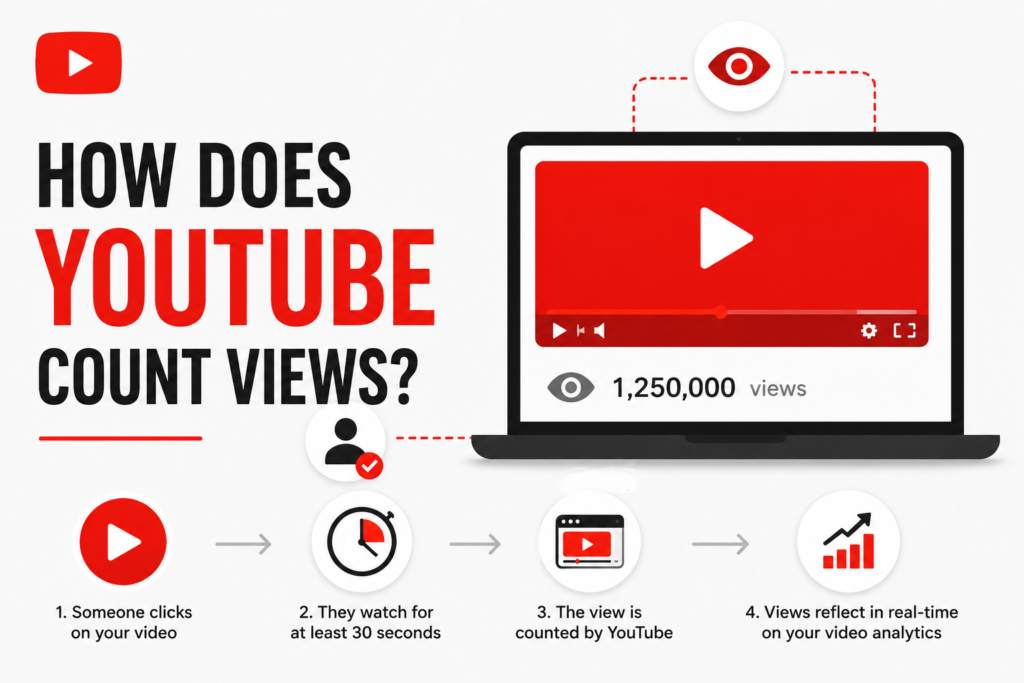
According to YouTube’s guidelines, a view is counted when a real human intentionally watches your video for at least 30 seconds. For videos shorter than 30 seconds, the viewer needs to watch most of it.
The key word here is intentional. YouTube’s system tries to figure out whether a real person actually chose to watch your video not whether a browser tab opened it in the background while someone was making chai.
Why YouTube Filters Views: Preventing Fraud & Bots
This is where it gets interesting. YouTube has a pretty robust fraud detection system running in the background at all times. Its job is simple weed out fake views.
When your video is uploaded and starts getting traffic, YouTube initially counts views quickly. But around the 300–500 view mark, it slows down and audits the incoming traffic. This is why you’ll often notice the count “freezing” around that range. YouTube is basically doing a background check on all those views are they real? Are they bots? Are they being generated by a script?
If views pass the check, they get added back. If they don’t, they’re filtered out. This protects the platform’s credibility and, honestly, it protects genuine creators too.
How YouTube’s Algorithm Processes Different View Types
Not all views are treated equally. Depending on how someone watches your content, the counting rules can differ.
Counting Views on Standard Videos (Long-Form Content)
For regular YouTube videos the ones longer than a minute or so the 30-second rule applies. One user watching the same video multiple times can generate multiple views, but YouTube limits how many times a single IP address or account can contribute views within a short period. So if you’re watching your own video on loop trying to boost numbers, it won’t work the way you hope.
How YouTube Counts Views for Shorts (Unique Considerations & Swipe-Throughs)
YouTube Shorts has its own set of rules, and this is where a lot of creators get confused.
For Shorts, a view is counted when your Short starts playing even if the person swipes past it quickly. This is different from regular videos. Because Shorts play automatically as users scroll, the threshold is much lower. However, YouTube still filters out low-quality interactions, so pure swipe-throughs with zero engagement don’t always guarantee a clean count.
One important thing Shorts views and long-form video views are tracked separately in your YouTube Analytics, so don’t mix them up when you’re analysing performance.
Do Embedded Videos, External Shares, and Other Platforms Count?
Yes! If someone watches your video embedded on a website, a blog, or even a Facebook post and they watch it for the qualifying duration it counts as a legitimate view. This is great news for creators who share their content beyond YouTube itself.
So if someone embeds your tutorial on their website and visitors watch it there, you still get the view. Pretty fair, honestly.
Replays, Multiple Views from One User, and Your Own Views: What Gets Counted?
Here’s the honest answer yes, replays can count, but with limits. YouTube doesn’t block all repeat views from the same person. If you watch a video again after some time, it can register as another view. But if you’re refreshing and replaying within minutes, the system picks that up and ignores it.
As for your own views yes, YouTube counts your own views when you watch your video, at least initially. But if you’re refreshing it aggressively trying to inflate numbers, the algorithm will catch on.
Watch Time vs. View Count: What Really Matters for the Algorithm?
Okay, now we’re getting to the part that actually affects your channel’s growth. And this is something a lot of creators don’t fully understand.
The Evolving Importance of Watch Time for Discoverability and Ranking
View count is visible. Watch time is powerful.
YouTube’s recommendation algorithm cares a lot more about how long people watch your video than how many people clicked on it. A video with 10,000 views but an average watch time of 1 minute is less favoured than a video with 5,000 views but an average watch time of 8 minutes.
Why? Because watch time tells YouTube that your content is genuinely engaging. And YouTube’s business model depends on keeping people on the platform. So they push content that keeps viewers watching.
This is why the best creators focus on holding attention strong hooks, good pacing, clear value delivery rather than just chasing clicks.
Beyond Views: Other Key Performance Indicators
While we’re here, let’s talk about what else the algorithm is watching. Click-through rate (CTR) tells YouTube how appealing your thumbnail and title are. Likes, comments, and shares signal engagement. Subscriber conversions show that your content builds loyalty.
Views matter, yes. But they’re one piece of a much bigger puzzle.
Common Questions & Troubleshooting View Counts
Why Do YouTube View Counts Get Frozen or Seem Discrepant with Analytics?
As mentioned earlier, the freeze around 300–500 views is intentional. YouTube pauses the public count while it audits traffic quality. Your YouTube Studio Analytics, however, updates more frequently and may show a different (often higher) number during this phase. Don’t panic the public count catches up once the audit is done.
Also, views from certain regions or devices may take longer to process, which can cause temporary discrepancies.
Dealing with Invalid Traffic and Potential View Penalties
If YouTube detects that you’ve been artificially inflating views through bots, view farms, or paid services that promise thousands of views overnight it won’t just remove those views. In serious cases, it can demonetise your channel or even take it down entirely.
This is something we always warn clients about at NexTech Ads India. Sustainable growth through real, engaged audiences is always worth more than a temporarily inflated view count that crashes and burns when YouTube catches up.
Monetisation & Ad Revenue: How Views Translate to Earnings
This is the part everyone wants to know about. Let’s be straightforward here.
YouTube’s Ad Revenue System: CPM vs. RPM Explained
Not every view earns money. Only monetised views where an ad was actually shown and watched — generate revenue. Two key metrics matter here:
CPM (Cost Per Mille) is the amount advertisers pay YouTube for 1,000 ad impressions. RPM (Revenue Per Mille) is what you actually earn per 1,000 views after YouTube takes its 45% cut.
Your RPM depends heavily on your niche, audience location, content type, and the time of year. Tech, finance, and business content generally earns higher RPMs than entertainment or lifestyle.
How Much Does YouTube Pay Per 1,000 Views?
Honest answer it varies a lot. Indian creators typically see RPMs ranging from ₹30 to ₹300 per 1,000 views, while channels with international audiences (especially US/UK viewers) can earn significantly more. These are general ranges, not guarantees every channel is different.
For 1 million views, an Indian creator with a general audience might earn anywhere from ₹30,000 to ₹3,00,000 depending on their niche and audience geography.
Tips for Increasing Legitimate Views and Maximising Earnings
The best thing you can do is focus on content quality, consistent posting, strong thumbnails, and good SEO for your titles and descriptions. Also, longer watch time naturally leads to more ad opportunities per video.
If you want strategic help with this, that’s exactly what NexTech Ads India, based in Kolkata, specialises in helping creators and brands grow their digital presence the right way. You can check out our services at nextechads india.
Looking Ahead: Future Trends in YouTube View Counting & Creator Economy
Addressing ‘2026’ Policies: What’s Likely to Stay Stable?
You might have seen content talking about “YouTube’s 2026 view counting policies.” Here’s a grounded take YouTube’s core view validation logic has been largely consistent for years. The 30-second rule, bot detection, and watch-time weighting aren’t going anywhere soon.
What is evolving is how YouTube handles AI-generated content, Shorts monetisation, and multi-format viewing. As these areas mature, some counting nuances may shift but the fundamentals remain the same.
The Future of YouTube Shorts Monetisation and View Impact
Shorts monetisation is still relatively new and evolving. YouTube has been expanding its Shorts ad revenue sharing programme, and as it matures, Shorts views will carry more monetary weight. If you’re not making Shorts yet, 2025–2026 is a good time to start experimenting.
Conclusion: Mastering YouTube’s View Count for Creator Success
Understanding how YouTube counts views isn’t just trivia it’s strategy. When you know what counts, what doesn’t, and what YouTube actually rewards, you stop chasing vanity metrics and start building something real.
Focus on genuine watch time, create content your audience actually wants to finish, and let the view count be a byproduct of great content not the goal itself.
If you’re a creator or brand in India looking to grow your YouTube presence smartly, NexTech Ads India in Kolkata is here to help.
Frequently Asked Questions
Does YouTube count repeat views?
Yes, YouTube does count repeat views, but with limits. If the same person watches a video again after a reasonable gap, it can register as a new view. However, repeatedly refreshing and replaying the same video in a short span will not generate multiple counts the algorithm recognises and filters this out.
Does YouTube count views from Facebook?
Yes! If your YouTube video is shared or embedded on Facebook and someone watches it on the YouTube player (redirected to YouTube), it counts as a view. However, if Facebook natively re-hosts the video separately, those plays won’t count toward your YouTube view count.
Does YouTube count your own views?
Yes, your own views are counted at least a few times. YouTube doesn’t completely exclude the creator from the count. But if you’re obsessively replaying your own video to boost numbers, the system will detect unusual patterns and stop counting after a point.
How does YouTube count live stream views?
For live streams, YouTube counts a view when a viewer watches the live broadcast for a certain duration. Each session from a real viewer can count as a view. After the live stream ends and the video is saved as a replay, future views of the replay are counted using the standard rules the 30-second watch minimum applies.